Labs / DEQ2496
AetherVortex - DEQ Control
Your DEQ2496, controlled from your PC. All nine modules on one Windows screen, every change read back from the unit. Free on Microsoft Store.
Who it is for
Purpose and access context
DEQ2496 owners who want to work from the desk instead of the front panel, including those whose old tools stopped with "No Buffers Available" after Windows 11 KB5077181.
Platform
Windows 11 (64-bit) · USB MIDI interface
Product boundary
Writes only the parameter you change
Access path
Product page, Microsoft Store listing and privacy policy.
System logic
Operating principles
Reads the unit before it writes
Writes only the parameter you change
Firmware and preset memory are never touched
Verification
Public evidence
Microsoft Store ID 9PP326BM6XP7, published by AetherVortex
All nine modules verified against a real DEQ2496
Not affiliated with or endorsed by Music Tribe
How it works
From the Store to your rack in three steps.
1. Get it from Microsoft Store
Free for Windows 11 (64-bit). No account, no sign-in, and Store updates arrive on their own.
2. Connect a MIDI interface
Plug a USB MIDI interface into the DEQ2496's MIDI IN and MIDI OUT. The app reads the unit's current settings before it does anything else.
3. Work from your desk
All nine modules on a full-size screen instead of a small display and one wheel. Every change is read back from the device.
What you get
Everything in the app, what it does for you, and why DEQ Control.
Runs on current Windows 11
- What it is
- MIDI through Windows MIDI Services (WinRT MIDI) instead of the legacy WinMM path that fails after KB5077181.
- What you get
- Your DEQ2496 is usable from the PC again, without "No Buffers Available".
- Why DEQ Control
- The PC tools written for the unit years ago no longer run on current Windows.
Reads before it writes
- What it is
- The app reads the unit's current state first and writes only the parameter you change. Firmware, preset memory and full-dump uploads are never touched.
- What you get
- No surprise jumps and no risk to the settings stored in the unit.
- Why DEQ Control
- Safety is the centre of the design: every write is checked against a fresh read from the device.
Live meters from the unit
- What it is
- The DEQ2496's own input and output levels, dynamics telemetry and 61-band real-time analyzer.
- What you get
- See the hardware's real levels at the desk, never a simulation.
- Why DEQ Control
- The data streams from the device itself, not from the PC's sound card.
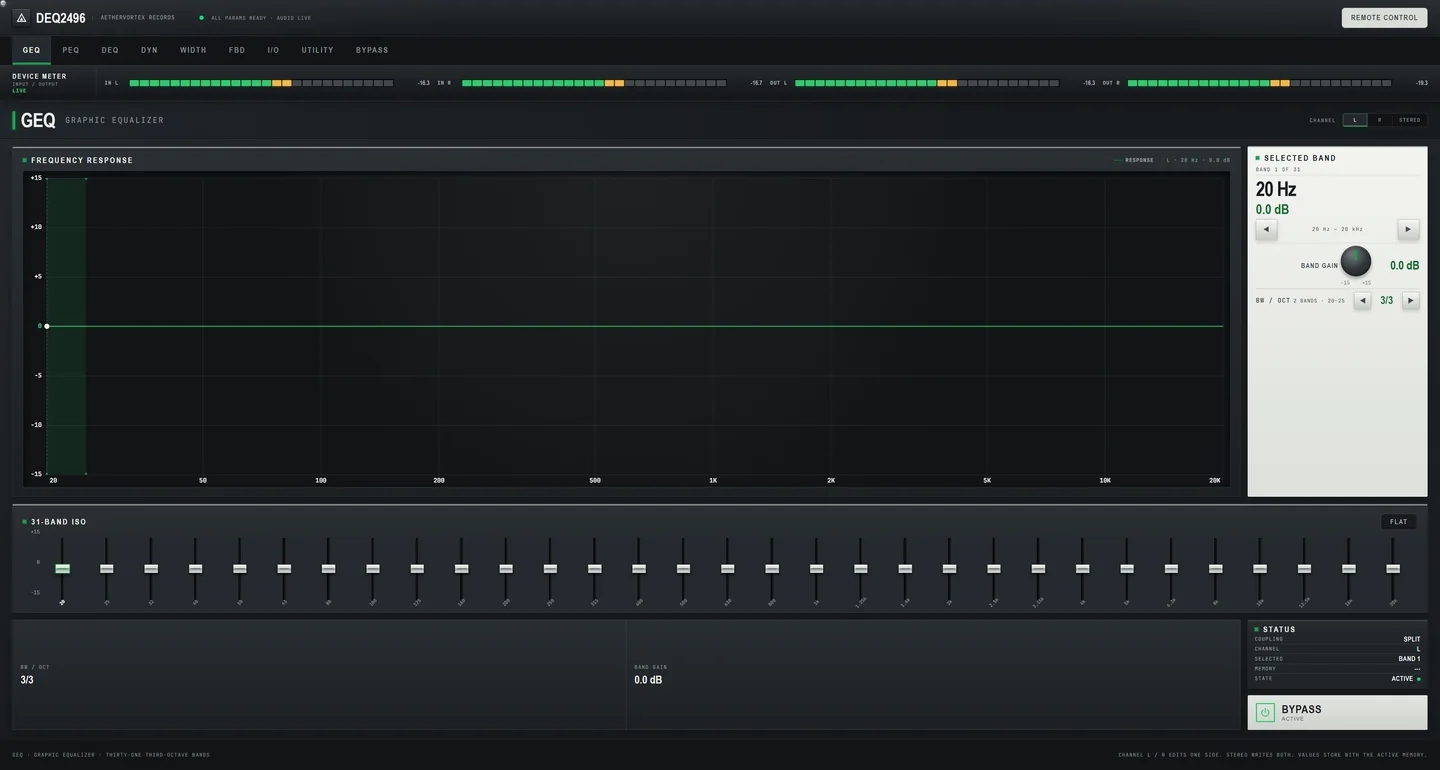
GEQ · Graphic EQ
- What it is
- 31 bands per channel, -15 to +15 dB in half-dB steps, left, right or linked, with a one-click flat reset.
- What you get
- Shape room or system response on a large screen instead of turning the front-panel wheel band by band.
- Why DEQ Control
- Each band is read back from the device after you move it.
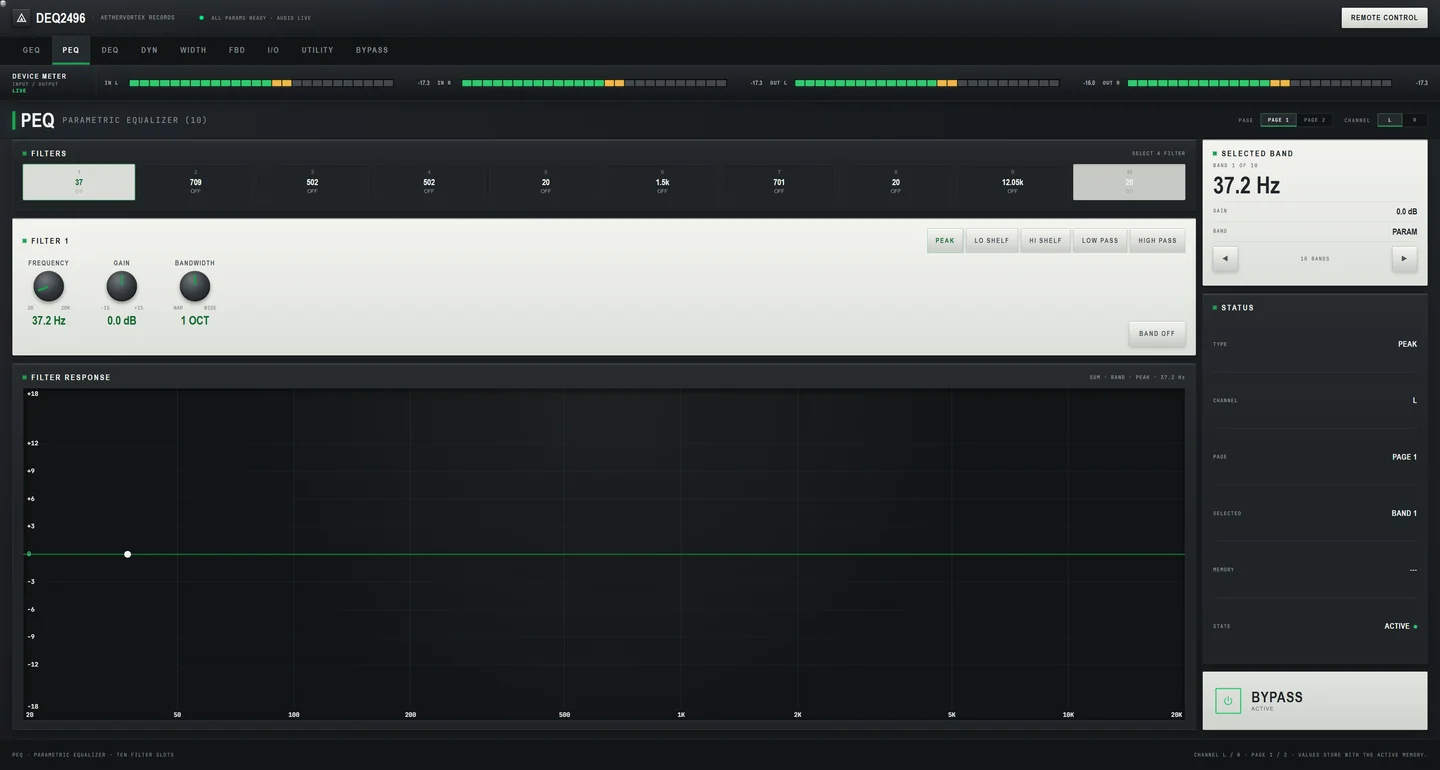
PEQ · Parametric EQ
- What it is
- 10 filters per channel with gain, frequency, bandwidth and filter type, each switchable on or off.
- What you get
- Precise cuts and boosts with every value visible at once.
- Why DEQ Control
- Works together with the Room EQ Wizard import below.
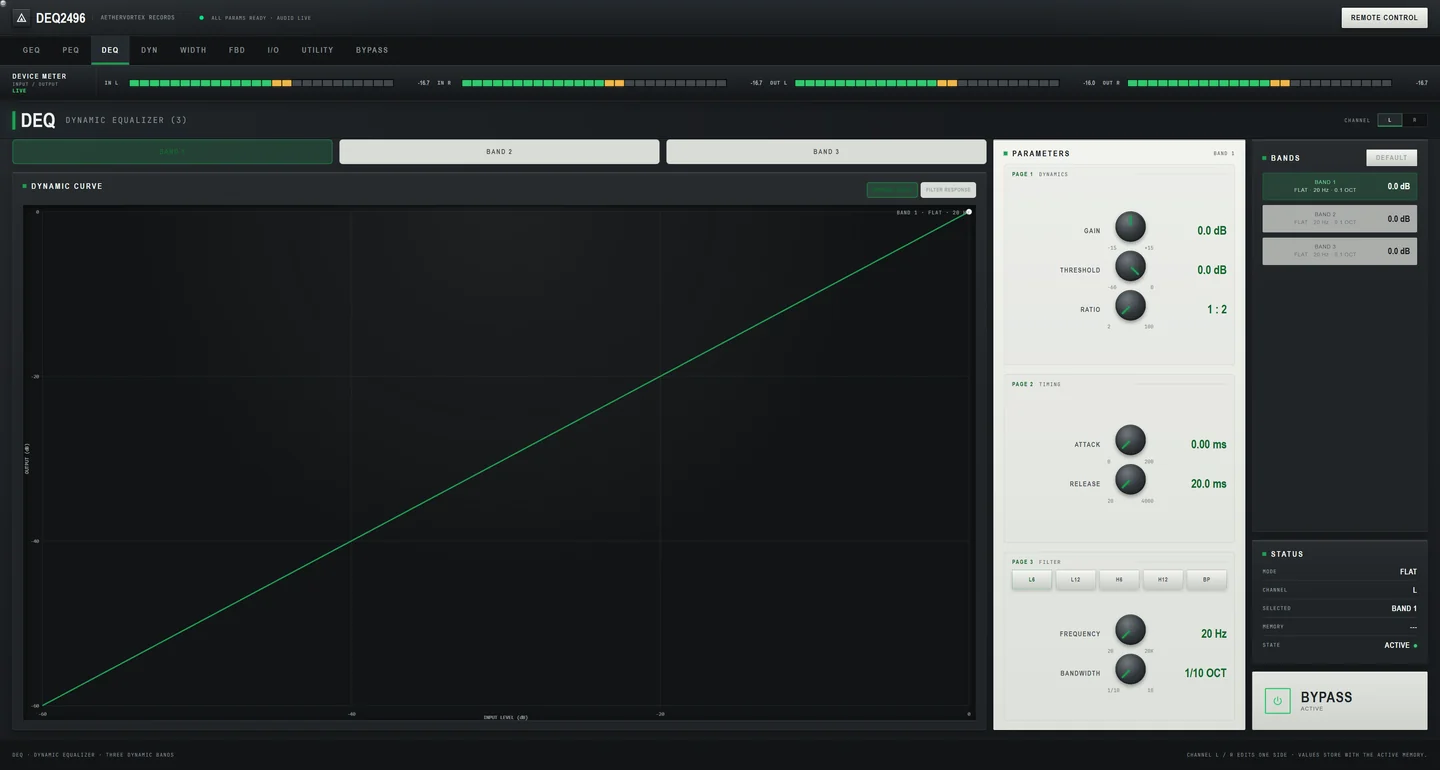
DEQ · Dynamic EQ
- What it is
- Three frequency-dependent compressors per channel with threshold, ratio, attack and release, plus a reset to defaults.
- What you get
- EQ that reacts only when a frequency gets too loud, set up in one view.
- Why DEQ Control
- On the unit this module spans three pages; here it is one surface.
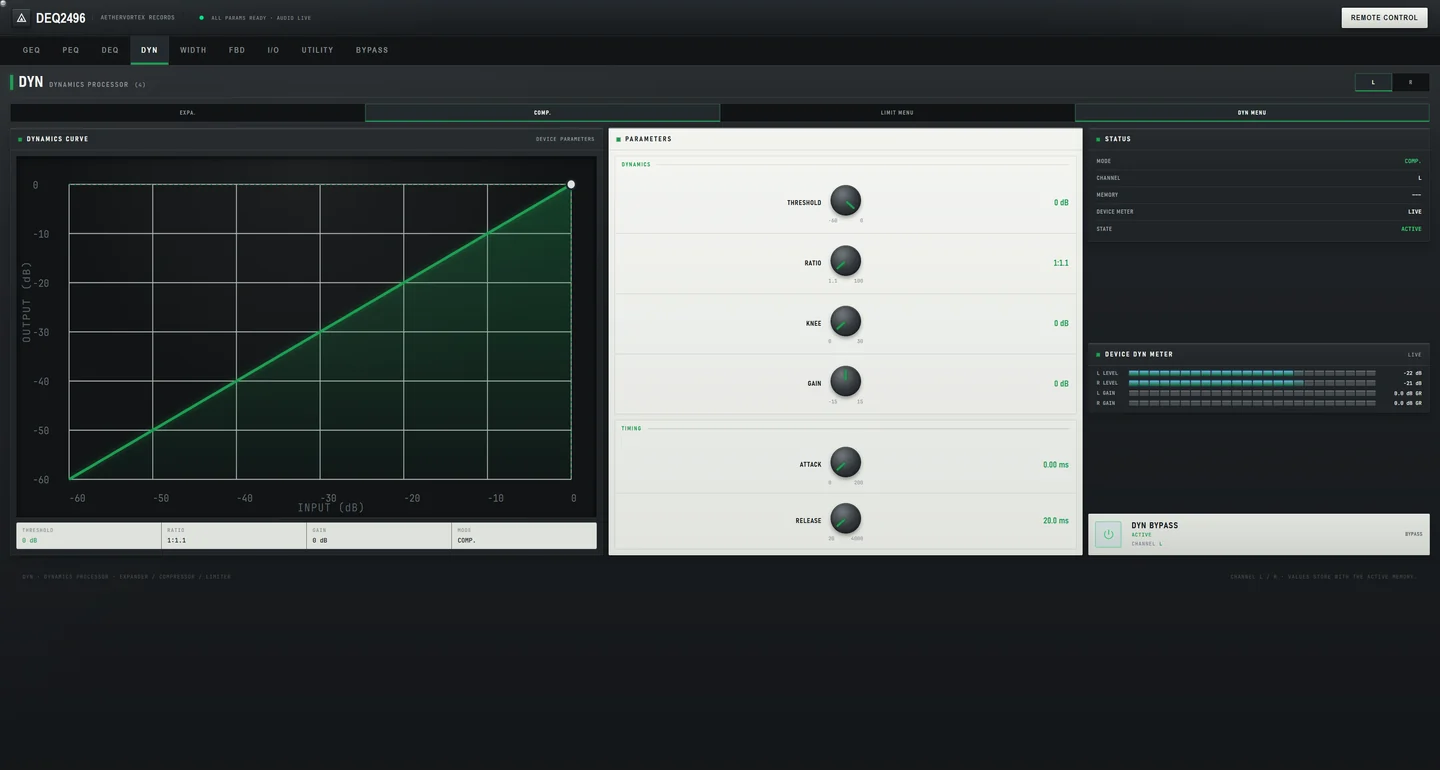
DYN · Dynamics
- What it is
- Compressor, expander and limiter with knee and live gain-reduction metering from the device.
- What you get
- See exactly how hard the dynamics are working while you adjust them.
- Why DEQ Control
- The gain reduction you see is the unit's own telemetry.
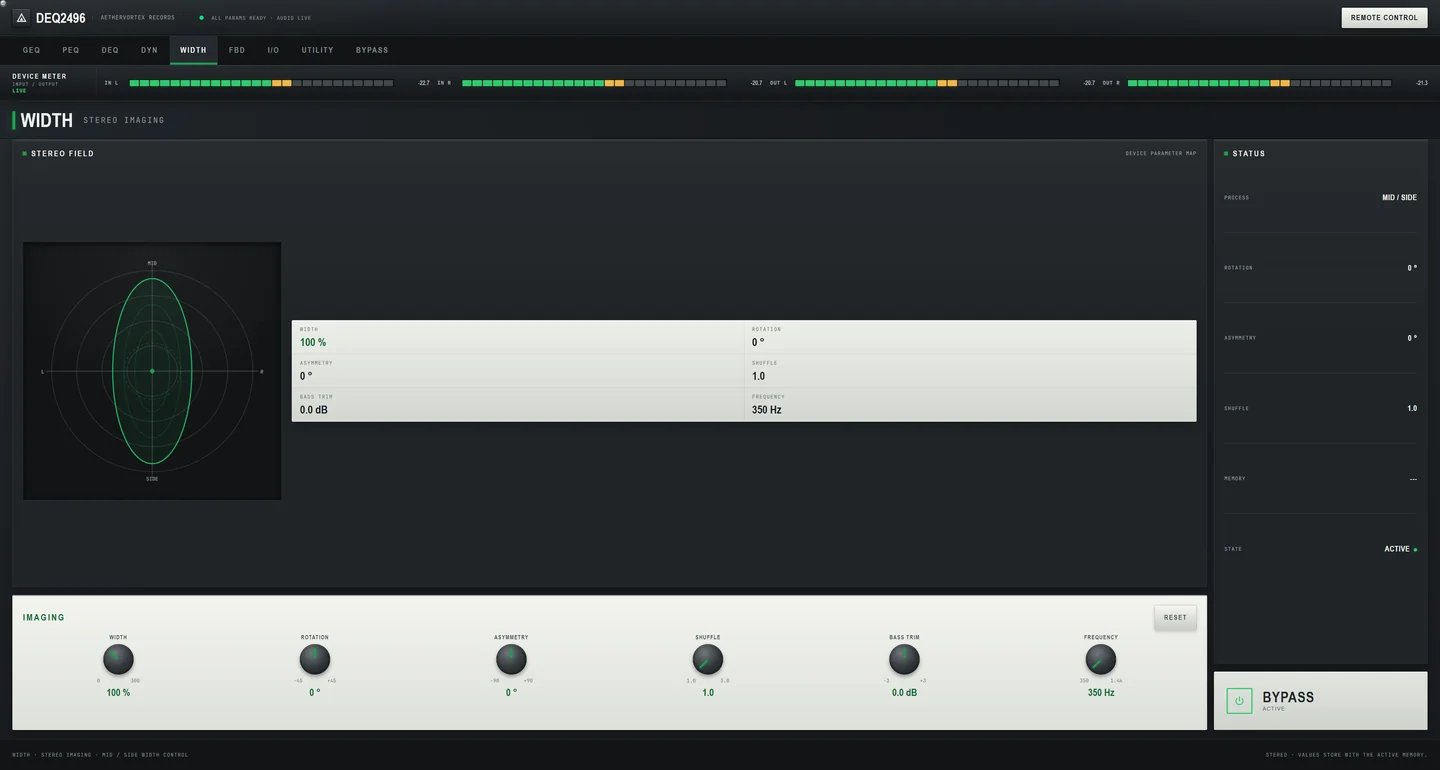
WIDTH · Stereo width
- What it is
- Width, asymmetry, rotation, bass trim and shuffle, with a reset to factory defaults.
- What you get
- Try stereo processing safely and return to the starting point in one click.
- Why DEQ Control
- The reset goes back to the unit's factory values, not to a guess.
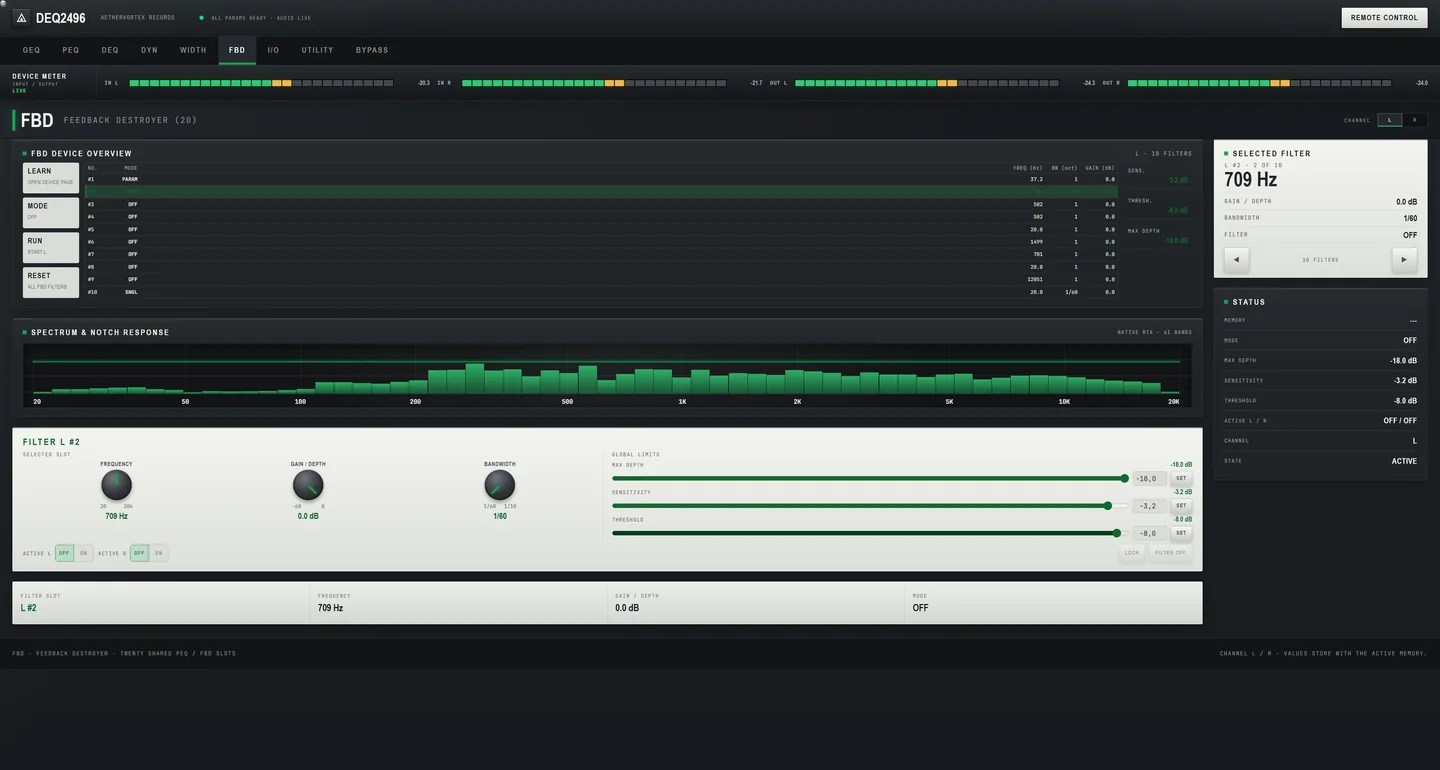
FBD · Feedback Destroyer
- What it is
- Sensitivity, threshold, maximum depth and per-channel slot control, with the live spectrum and notch curves.
- What you get
- Find and hold feedback frequencies without the front panel.
- Why DEQ Control
- The slot table matches the unit one to one.
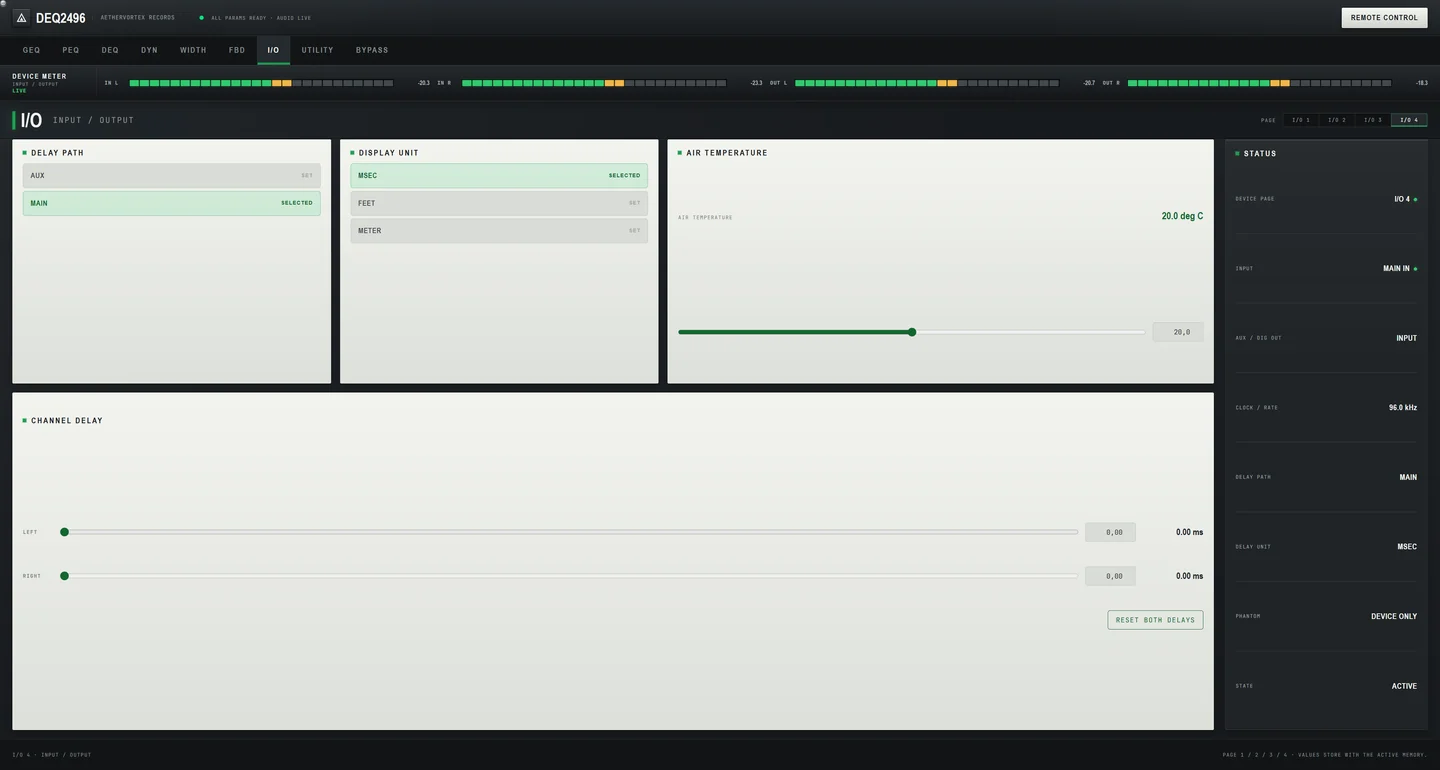
I/O · Device page
- What it is
- Input source, digital format, dither, output delay per channel and the built-in noise generator.
- What you get
- Set up inputs, outputs and time alignment on one page, without menu diving.
- Why DEQ Control
- All setup values on one screen instead of nested menus.
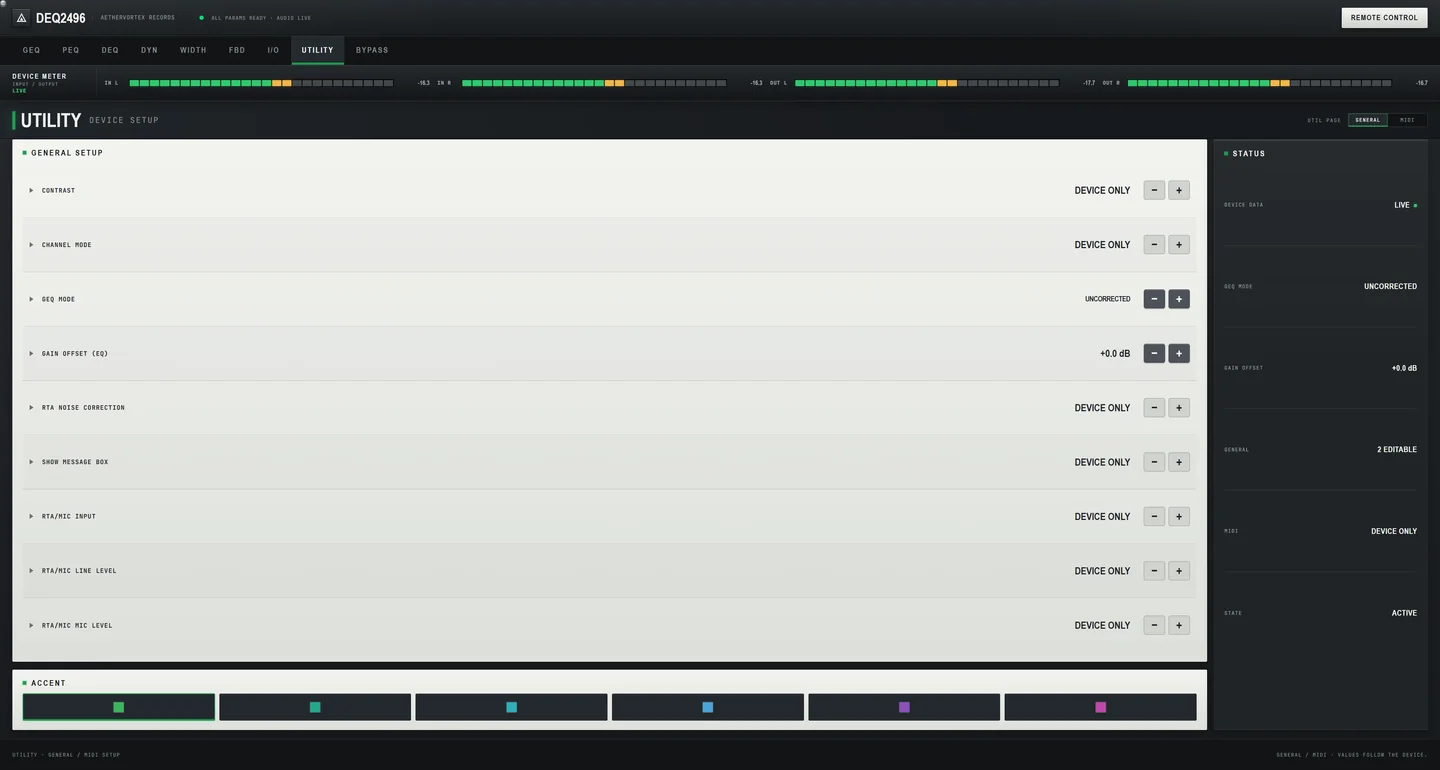
UTILITY · Device setup
- What it is
- EQ gain offset and the general setup pages.
- What you get
- The setup options you need, readable at a glance.
- Why DEQ Control
- Read from the unit, so the page shows the real configuration.
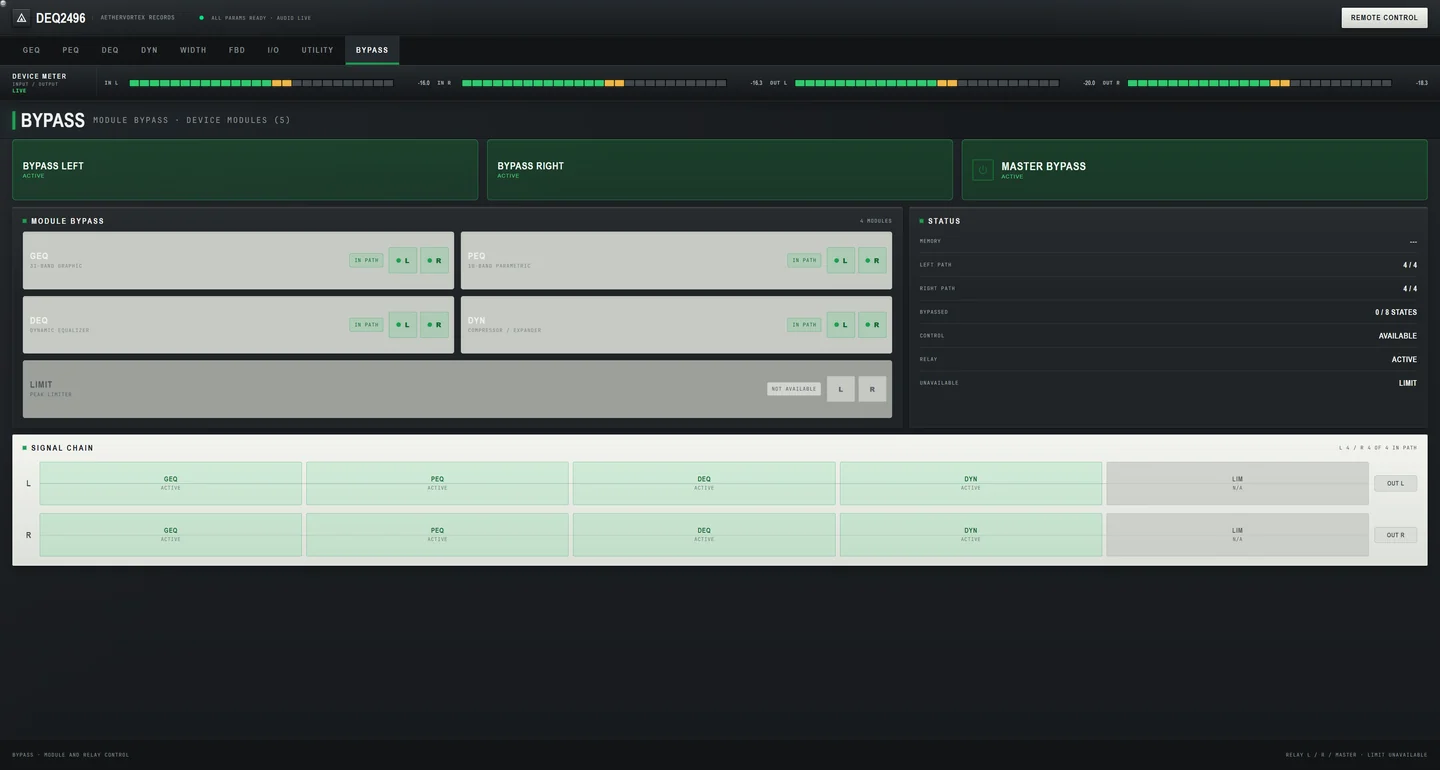
BYPASS · Module bypass
- What it is
- Relay bypass per channel and per module, read back from the device after every change.
- What you get
- Compare processed and unprocessed sound in one click and trust the state shown.
- Why DEQ Control
- The bypass state is confirmed by the unit, not assumed by the app.
Presets on the PC
- What it is
- Save and recall your own settings in a library on the PC.
- What you get
- Keep a setting for each room, system or gig and bring it back when you need it.
- Why DEQ Control
- The library lives on the PC, so the unit's own preset memory stays untouched.
Room EQ Wizard import
- What it is
- Import a filter set from REW and send it to the parametric EQ.
- What you get
- Apply a room measurement directly instead of typing every filter by hand.
- Why DEQ Control
- The older tools for the DEQ2496 never offered this.
Phone remote
- What it is
- Pair a phone on your local network by scanning a QR code and adjust the EQ from it; off by default.
- What you get
- Tune from the listening position instead of walking back to the PC.
- Why DEQ Control
- DEQ2496 owners have asked for this in forums for years.
No account, no tracking
- What it is
- No sign-in, no internet connection needed and no data collection.
- What you get
- Install it and work; nothing about you or your studio leaves the PC.
- Why DEQ Control
- The privacy policy is public and short: the app collects nothing.
Version 1.0.9
Nine modules, one control surface.
The same screens as the Microsoft Store listing, captured from version 1.0.9 with a DEQ2496 connected.
 Enlarge
 Enlarge
 Enlarge
 Enlarge
 Enlarge
 Enlarge
 Enlarge
 Enlarge
 Enlarge
Free on Microsoft Store
Not affiliated with or endorsed by Music Tribe. Behringer and DEQ2496 are trademarks of their owner and are used only to identify compatible hardware.